
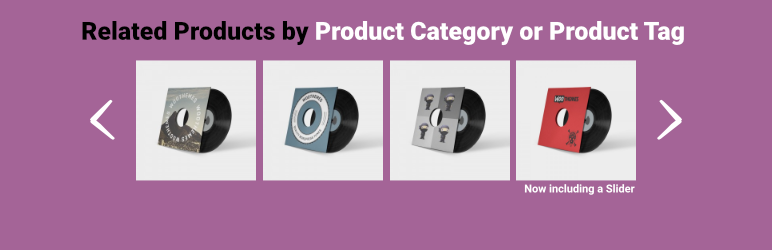
內容簡介
ure of Jetpack for a more advanced and customizable solution.
此外,Related Products for WooCommerce 也支援多國語言。
此外,提供以下功能:
每次載入單一商品頁面時,以目前商品的分類、標籤或屬性,隨機顯示新鮮的 WooCommerce 相關商品(在輪播或非輪播模式中)
可配置設定,讓相關產品顯示在文章、頁面和側邊欄小工具中,並可配置排除類別
使用短碼 [woo-related]以供商品頁面使用,或使用 [woo-related id='XX'] / [woo-related product-id='XX' show-title='no'] 以供文章、頁面和小工具中的使用
在設定頁面中使用選項欄,排除分類
短碼接受 id、title 和 number 三種參數
使用 演示版 看到操作範例
可設定相關產品的標題文字
設定想要顯示或停用的相關產品數量
可設定基於類別或標籤的相關產品
藉由使用 Flexslider 來顯示相關產品
翻譯相關產品的標題文字
在文章、頁面和小工具中加入相關產品的短碼
使用 WordPress hook 在商品頁面上顯示相關產品,可透過移除動作並使用不同的 hook 或優先權,將相關產品位置移動
支援多國語言
Plugin 版型設定:
安裝外掛程式,參見 安裝選項 以了解更多資訊
使用外掛管理頁面(位於 WooCommerce 選單)設定好外掛
若要更好的相關產品體驗,我們建議嘗試 Jetpack 的相關產品功能,以取得更進階且可客製化的解決方案。
如需支援服務,請前往 支援論壇 查看。
外掛標籤
開發者團隊
② 後台搜尋「Related Products for WooCommerce」→ 直接安裝(推薦)
原文外掛簡介
Display fresh, random WooCommerce related products on every single product page load (in a slider or not) based on the current product’s category, tags, or attributes.
Related products can be configured to display in posts, pages, and sidebar widgets, and can be configured to exclude categories.
Use the shortcode [woo-related] for product pages or [woo-related id='XX'] / [woo-related product-id='XX' show-title='no'] for posts, pages, and widgets.
Exclude taxonomies using the the option field in the settings page.
The shortcode accepts id, title and number.
Shortcode examples
[woo-related id='15']
will display related products based on product ID 15.
[woo-related id='15' title='no']
is the same as above but will hide Related Products title. For sidebars, etc. you can use the widget title.
[woo-related id='15' title='no' number='1']
is the same as above but will return only 1 product.
[woo-related]
will use current product’s ID. This should be used on product pages only.
Related Products for WooCommerce can help you:
Display real related products (using a slider or not)
Set the related product’s heading text (you can use HTML)
Set the number of related products you want to display or disable them
Set category or tag based related products
Display related products using Flexslider
Translate related products heading text
Exclude taxonomies from your related products
Use a shortcode to add related products to posts/pages and widgets
Related Products block position
Move related products
Related Products for WooCommerce uses WordPress hooks to display related products on product pages. If you need to move the related products block you can remove the action and add it again using a different hook or priority. This is extremly helpful if you code your own theme or child theme.
To remove related products block you can use
remove_action( 'woocommerce_after_single_product', 'wrprrdisplay' );
in your theme’s functions.php file.
If you want to add it again you can do something like this
add_action( 'woocommerce_after_single_product', 'wrprrdisplay', 55 );
or
add_action( 'ANY-OTHER-HOOK', 'wrprrdisplay', PRIORITY );
Check GitHub for all single product page actions.
Demo
You can see a demo of the plugin here.
Requirements
WooCommerce
Plugin setup
Install the plugin—visit the installation tab for more info
Use the plugin’s option page, located in the WooCommerce menu, to set up the plugin
Support
Feel free to use the support forum, and we will get back to you as soon as possible.
Want even better related products?
We recommend trying the Related Products feature that is built-in to PeachPay, an all-in-one checkout and product recommendation solution engineered to increase sales.












