內容簡介
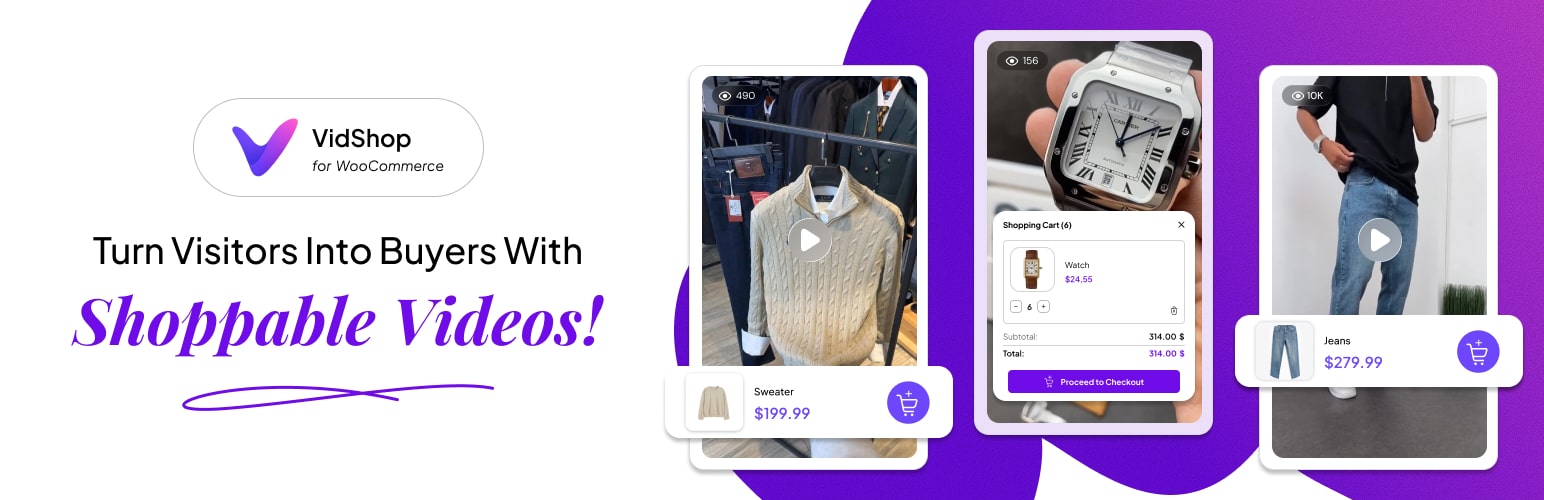
總結:VidShop 提供交互式購物影片,將社群媒體影片的引人入勝體驗帶入您的 WooCommerce 商店,打造身臨其境的滑動購物旅程。顧客可以輕鬆瀏覽、與產品互動,並直接在影片中即時購買。適用於時尚品牌、美妝零售商、電子商店、家飾商店以及任何追求下一代影片商務的企業。
### 問題與答案
- 為什麼選擇 VidShop?
- 可以讓顧客在影片中即時購買商品,而不必離開影片。
- 提供詳細的影片互動和產品表現分析。
- 設計特別針對智慧手機使用者。
- 不需要編碼技能就能建立迷人的可購買影片。
- 與現有的 WooCommerce 商店完美整合。
- VidShop 擁有哪些主要特點?
- 具備分析儀表板,追蹤各種影片互動和產品表現。
- 直覺式影片管理,方便地上傳和關聯產品。
- 智慧型短碼產生器,自定顏色及版面,複製並粘貼至網頁/文章。
- 前端體驗引人,支援手機和桌面,樣式自適應。
- 產品整合無限,變化產品支持,即時加入購物車功能。
- 品牌客製化,符合品牌形象,具有觸摸及滑鼠友善互動。
- VidShop 如何進行簡易的 4 步驟設定?
- 步驟一:新增您的影片,上傳或連結影片並設定縮圖。
- 步驟二:連結產品,選擇相關 WooCommerce 產品進行關聯。
- 步驟三:產生短碼,自定顯示(選取影片、版面、顏色)。
- 步驟四:上傳短碼至網站任意位置,立即展示影片。
外掛標籤
開發者團隊
② 後台搜尋「VidShop – Shoppable Videos for WooCommerce」→ 直接安裝(推薦)
原文外掛簡介
VidShop Transforms Ecommerce with Interactive Shoppable Videos
VidShop brings the engaging experience of social media videos directly into your WooCommerce store, creating an immersive, swipe-driven shopping journey. Customers can effortlessly browse, interact with products, and make instant purchases—all within the video.
Ideal for fashion brands, beauty retailers, electronics stores, home décor merchants, and any business seeking next-level video commerce.
🎥 Try VidShop Live: Interactive Demo
🚀 Upgrade to Pro: Get Premium Features
🚀 Why Choose VidShop?
✅ Social Media-Style Navigation – Swipe videos for engaging, app-like shopping.
✅ Seamless Purchase Experience – Instantly buy products without leaving the video.
✅ In-Depth Analytics – Track detailed video interactions and product performance.
✅ Mobile-Optimized – Designed specifically for smartphone users.
✅ Easy to Use – No coding skills required to set up stunning shoppable videos.
✅ WooCommerce Native – Perfectly integrates with your existing WooCommerce store.
🎯 Key Features
📊 Analytics Dashboard
Total & Unique Views
Average & Total View Time
Total & Unique Likes
Add-to-Cart Metrics
Product View Tracking
Top Videos & Products Insights
🎬 Intuitive Video Management
Publish, Draft, Trash Status Management
Easy Video Upload (WordPress Media Library & Custom URLs)
Product Linking & Association
Bulk Actions & Quick Editing
⚙️ Smart Shortcode Generator
Select videos: All or specific IDs
Customize colors and layouts
Easy copy-paste into pages/posts
Multiple layouts: Grid, Carousel, and Inline (TikTok-style)
📱 Engaging Frontend Experience
Swipeable Video Interface
Interactive Product Circles
Social Proof with View Counts & Likes
Real-Time Shopping Cart
Product Variations & Instant Checkout
Mobile & Desktop Optimized
🛒 Product Integration
Unlimited products per video
Variable product support
Live inventory synchronization
Quick add-to-cart functionality
🎨 Brand Customization
Color schemes aligned with your brand identity
Responsive layouts and smooth animations
Touch and mouse-friendly interactions
🔥 Easy 4-Step Setup
Step 1: Add Your Video
Upload or link your video and set a thumbnail.
Step 2: Connect Products
Select relevant WooCommerce products to link.
Step 3: Generate Shortcode
Customize your display (video selection, layout, colors).
Step 4: Go Live
Paste shortcode anywhere on your website to showcase videos instantly.
Example Implementation:
[vsfw-videos videos="all" type="grid" color-schema="#1e40af"]
[vsfw-videos videos="123,456,789" type="carousel" color-schema="#e11d48"]
[vsfw-videos videos="all" type="inline" color-schema="#10b981"]
[vsfw-videos videos="all" type="stories" color-schema="#1e40af" autoplay="yes" loop="yes"]
⚡ Performance & Compatibility
Optimized for speed (lazy loading & caching)
Compatible with popular caching & CDN solutions
Mobile-first responsive design
Secure, clean code with extensive hooks for developers
Fully translation-ready
🌟 Industries Benefiting from VidShop
Fashion & Apparel: Showcase products in action.
Beauty & Cosmetics: Demonstrate product transformations.
Home & Décor: Present real-world product placements.
Electronics & Tech: Highlight features and unboxing.
Lifestyle Products: Engage emotionally and increase sales.