內容簡介
**Unnotifier 是一款強大且穩定的 WordPress 外掛,可讓您完全控制管理員通知。**
1. **什麼是 Unnotifier 外掛的主要特點?
- 三種展示模式:顯示所有通知、個別控制、完全隱藏所有通知。
- 雙重隱藏選項:針對每個管理員通知都有兩個按鈕,“只對我隱藏”和“對所有使用者隱藏”。
- 智慧插件檢測:自動識別生成每個通知的插件或主題。
- 擴展元數據:存儲有關隱藏通知的插件名稱和內容的信息。
- 輕鬆重設:透過設置頁面一鍵恢復所有隱藏通知。
- 乾淨界面:最小化的設計,不會干擾您的工作流程。
- 輕量級:沒有贅餘功能,僅提供基本功能。
- 支持無障礙:完全鍵盤導航和屏幕閱讀器支持。
- AJAX 技術:平滑隱藏通知,無需重新加載頁面。
- 安全性:所有操作都受到 nonce token 和權限檢查的保護。
2. **如何使用 Unnotifier 外掛?
- 安裝並啟用外掛。
- 在設置中選擇您的模式:顯示所有通知、個別控制、隱藏所有通知。
- 透過點擊任何通知上的“只對我隱藏”或“對所有使用者隱藏”按鈕來隱藏通知。
- 隨時可以從設置頁面重設隱藏的通知。
3. **Unnotifier 外掛如何實現高級功能?
- 智慧插件檢測:利用先進的算法來識別插件生成的通知。
外掛標籤
開發者團隊
② 後台搜尋「Unnotifier — disable admin notices individually」→ 直接安裝(推薦)
原文外掛簡介
Unnotifier helps you disable admin notices with complete control and flexibility. Tired of intrusive premium upgrade notices, promotional messages, and endless stream of admin notifications? Unnotifier solves this problem once and for all with powerful features to disable admin notices individually or completely.
Inspired by the popular plugin Disable Admin Notices individually, but Unnotifier surpasses it in stability, functionality, and support. All features of the original plugin are implemented here, but with improved architecture and regular updates.
Key Features to Disable Admin Notices
Three Display Modes:
Show all notifications (default WordPress behavior)
Individual control (recommended) — adds hide buttons to each notice
Hide all notifications completely
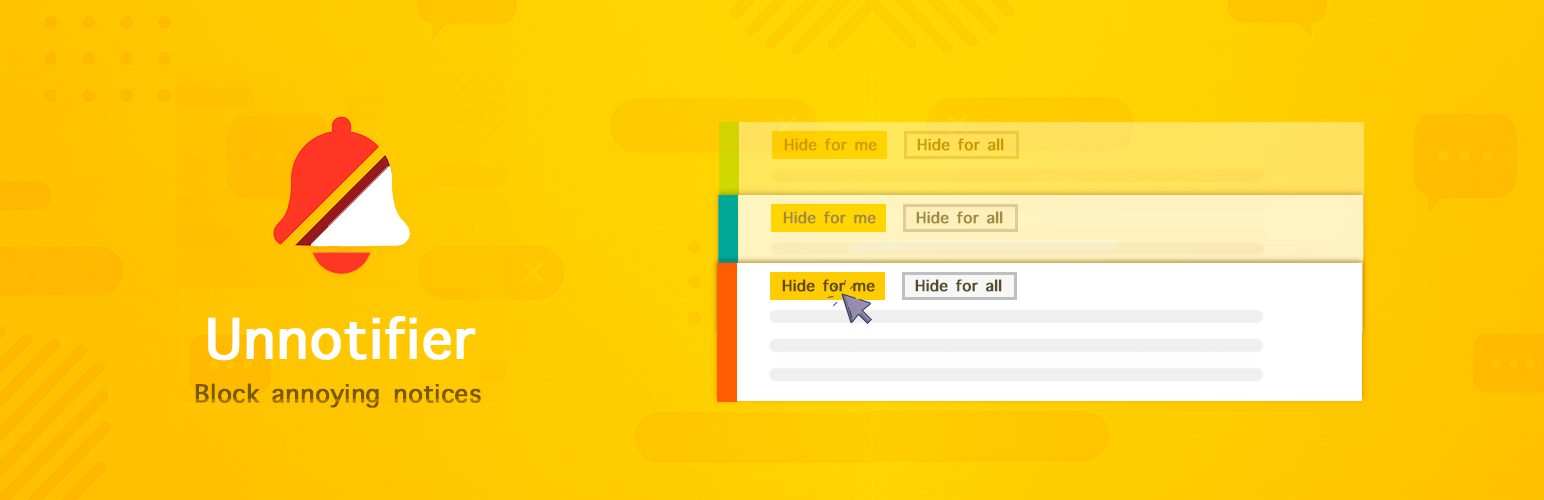
Dual Hide Options: Each admin notice gets two discrete buttons:
“Hide for me” — Hide notice only for current user
“Hide for all” — Hide notice for all users (admin only)
Smart Plugin Detection: Automatically identifies which plugin or theme generates each notification
Extended Metadata: Stores information about hidden notices with plugin names and content
Easy Reset: Restore all hidden notices with one click in settings
Clean Interface: Minimalistic design that doesn’t interfere with your workflow
Lightweight: No bloat, just essential functionality
Accessibility Ready: Full keyboard navigation and screen reader support
AJAX Technology: Smooth notice hiding without page reload
Security: All operations protected with nonce tokens and permission checks
How to Disable Admin Notices
Install and activate the plugin to disable admin notices
Choose your mode in Settings → Unnotifer:
Show all notifications: Normal behavior
Individual control: Adds hide buttons to each notice (recommended)
Hide all: Completely removes all admin notices
Hide notices by clicking “Hide for me” or “Hide for all” buttons on any notification
Reset hidden notices anytime from the settings page
Advanced Functionality
Smart Plugin Detection: The plugin uses advanced algorithms to identify the source of each notification:
* Call stack analysis (debug_backtrace)
* PHP reflection for callback function analysis
* Plugin name extraction from file headers
* Result caching for performance optimization
Notice Metadata: Each hidden notice is saved with detailed information:
* Source plugin name
* Full notice content
* Brief description (excerpt)
* Hide time and user ID
Plugin Architecture: Built on SOLID principles using:
* PSR-4 class autoloading
* Singleton pattern for state management
* Interfaces for all core components
* Separation of responsibilities between classes
Perfect for Dashboard Cleanup
Site administrators who want to disable admin notices for a cleaner dashboard
Developers working on multiple sites with many plugins
Agencies managing client websites
Anyone tired of notification overload
E-commerce owners with multiple WooCommerce plugins
SEO specialists using many optimization tools
💼 Use Cases & Practical Applications
The plugin is useful in various situations, from personal use to managing complex multisite networks.
🎯 Individual Notice Control
Perfect for getting rid of individual annoying notifications (premium version ads, offers, unnecessary reminders) without losing important system messages. Disable admin notices selectively with two buttons on each notice: “Hide for me” (personal hiding) and “Hide for all” (global hiding for all users). You decide which notifications you want to see and which ones clutter your workspace. The plugin intelligently identifies the source of each notification, making it easy to understand which plugin is generating intrusive messages.
🧹 Complete Dashboard Cleanup
Disable admin notices globally (except plugin update warnings) for absolute focus. When you need maximum concentration on work, activate the “Hide all” mode and your admin panel becomes completely clean. This is especially useful during development, content editing, or any work that requires full attention. All hidden notifications are saved in the database, so you can restore them at any time with one click.
👥 Working with Client Sites
Creating a clean and understandable interface for clients by removing technical messages that might confuse or scare them. Agencies and freelancers can prepare a professional admin panel where clients see only what they need. Hide developer notifications, debug messages, and technical warnings while keeping important content management notifications visible. This significantly improves the user experience for non-technical clients.
🌐 Team Work & Multisite Networks
Hiding notifications for other users or the entire network while keeping them visible only to the administrator. In Multisite networks, you can manage notifications centrally: hide specific messages for all subsites or configure individual settings for each site. This is especially useful for large projects with multiple administrators where notification coordination is important.
📊 Advanced Notice Management
The plugin stores detailed metadata about each hidden notification: source plugin name, full content, excerpt, hiding time and user ID. This allows you to analyze which plugins generate the most notifications and make informed decisions about their use. You can always review the list of hidden notices and restore specific ones if needed.
🔧 Development & Staging Environments
Ideal for developers working with test sites and staging servers. Disable admin notices during development to focus on debugging and testing. Easily switch between modes depending on the work stage: show all notifications during initial setup, use individual control during active development, and hide all during client demonstrations.
🛒 E-commerce & WooCommerce
Online stores often have dozens of plugins generating notifications: WooCommerce itself, payment systems, shipping plugins, marketing tools. Unnotifier helps organize this chaos by allowing you to selectively hide promotional messages while keeping important transactional notifications. This is especially useful for stores with many extensions and add-ons.
⚡ Performance & Productivity
By choosing to disable admin notices that distract you, you improve productivity and work speed. The clean interface helps focus on important tasks, and the smart plugin detection system shows exactly which plugins are generating notifications. You can make informed decisions about which plugins to keep and which to replace with less intrusive alternatives.
Privacy & Performance
No external requests — everything works locally
Minimal database usage — only stores hidden notice IDs and metadata
No tracking — your data stays on your server
Lightweight code — won’t slow down your admin area
Optimized queries — caching of plugin detection results
Security — all AJAX requests protected with nonce tokens
How to Install Plugin
Installation Steps:
1. Go to your admin area
2. Navigate to Plugins → Add New
3. Search for “Unnotifier”
4. Click “Install Now” and then “Activate”
Plugin Setup to Disable Admin Notices:
1. Go to Settings → Unnotifer
2. Choose your preferred display mode:
– Show all notifications: Default behavior
– Individual control: Adds hide buttons (recommended)
– Hide all: Removes all admin notices
3. Configure additional settings if needed
Using the Plugin:
1. Navigate to any admin page with notifications
2. Click “Hide for me” to hide notice for yourself only
3. Click “Hide for all” to hide notice for all users (admin only)
4. Hidden notices disappear immediately with smooth animation
Resetting Hidden Notices:
1. Go to Settings → Unnotifer
2. Click “Reset All Hidden Notices” button
3. All previously hidden notices will be restored
4. You can also reset notices for specific users if needed
Our Other Plugins
AI Thumbnails Maker – Automatically generate beautiful AI-powered thumbnails and force regenerate featured images for your WordPress posts. Perfect for keeping your media library fresh and professional.
SmartyPress AI Engine – Powerful AI integration for WordPress with ChatGPT and Deepseek. Generate high-quality content directly in Gutenberg editor with Magic Wand inline editing and AI Content Generator panel. Create titles, articles, excerpts with 10+ pre-built actions or custom prompts.
AdsDestroyer – disable admin ad & adblocker – Transform your WordPress admin into a clean, distraction-free workspace. Remove unwanted notices, promotional banners, and clutter with visual selection. Perfect for maintaining focus and creating professional client experiences.
Support
For support, feature requests, or bug reports, please visit:
Plugin Support Forum: https://wordpress.org/support/plugin/unnotifier/
Documentation: Available in the plugin settings page
Contributing
We welcome contributions! If you’d like to contribute to the development of this plugin:
Fork the repository
Create a feature branch
Make your changes
Submit a pull request
Privacy Policy
This plugin does not collect, store, or transmit any personal data. All functionality works locally on your WordPress installation. Hidden notice preferences are stored in your WordPress database only.
Technical Details
PHP Version: 7.4 – 8.4 (fully tested and compatible)
Minimum WordPress Version: 5.0
Database Tables: Uses WordPress options table only
External Dependencies: None
Multisite Compatible: Yes
Translation Ready: Yes (translations welcome!)
OOP Architecture: Modern object-oriented design with PSR-4 autoloading
Type Safety: Full type declarations for PHP 7.4+ compatibility
Important Notice About Caching
Output Buffering Usage: This plugin uses output buffering (ob_start()) only in the WordPress admin area to capture and process admin notices. This functionality is NOT used on the frontend of your website.
Server Caching Compatibility: If you experience issues with admin area caching or if your hosting provider uses server-based caching (such as nginx, Varnish, or similar services), please note that this plugin may conflict with such caching systems. In such cases, we recommend not using this plugin.
WordPress Managed Hosting: Some managed WordPress hosting providers may prohibit plugins that use output buffering due to potential conflicts with their caching infrastructure. Please check with your hosting provider before using this plugin if you’re on a managed WordPress hosting service.
Plugin Detection Feature
debug_backtrace() Usage: This plugin uses PHP’s debug_backtrace() function to detect which plugin generates each admin notice. This feature is enabled by default but can be disabled in the plugin settings under “Show plugin names in notices?”.
Performance Considerations: The debug_backtrace() function may have a slight performance impact on high-traffic sites. If you experience performance issues, you can disable this feature in the plugin settings. When disabled, notices will show “Unknown Plugin” instead of the actual plugin name.
Technical Details: The plugin analyzes the call stack to identify plugin files and extracts plugin names from their headers. This helps users identify the source of notifications for better management.
Inspiration & Credits
This plugin was inspired by and builds upon ideas from several community projects that helped pioneers the ability to disable admin notices:
Disable Admin Notices individually, Hide Dashboard Notifications, WP Hide Plugin Updates, Hide Admin Notices, WP Notification Center
We studied these plugins, learned from their approaches, and created Unnotifier with modern architecture, enhanced flexibility, and active maintenance. Special thanks to their developers for pioneering admin notice management solutions.
Full Plugin Review: For a comprehensive overview and comparison with alternatives, read our detailed article at Wp Ai Factory – Effortlessly Disable Admin Notices in WordPress
Credits
Developed with ❤️ for the WordPress community.
Special thanks to all beta testers and contributors who helped make this plugin better.