內容簡介
Smart Cycle Discounts 是一款專為 WooCommerce 設計的促銷操作外掛,旨在幫助商店有效地管理定期和自動化的折扣活動。它整合了折扣和動態定價的功能,提供更有組織的促銷管理流程,讓商店能夠更好地規劃、啟動和監控促銷活動。
【主要功能】
• 自動化 WooCommerce 折扣活動
• 百分比和固定折扣
• BOGO(買一送一)促銷
• 定期和重複銷售活動
• 促銷工作流程管理(計劃 → 排程 → 啟動 → 監控)
• 促銷健康檢查與智能指導
外掛標籤
開發者團隊
② 後台搜尋「Scheduled Sales & Automatic Discounts for WooCommerce – Smart Cycle Discounts」→ 直接安裝(推薦)
📦 歷史版本下載
原文外掛簡介
Video Tutorial
Create a discount campaign in minutes and let it run on autopilot. Smart Cycle Discounts automatically applies your sale prices on schedule, detects conflicts before they cost you money, and tells you which promotions are actually working.
No more editing products one by one. No more forgetting to end a sale. No more wondering which discount is overriding which.
Pick your discount type (percentage off, BOGO, tiered pricing, and more), choose your products, set your schedule, and the plugin handles the rest — from activation to expiration, automatically.
A built-in setup wizard scans your store on first install, detects conflicting plugins, and walks you through creating your first campaign. Most merchants are up and running in under 3 minutes.
Key Features
Set it and forget it — campaigns activate and expire on schedule, no manual work
Percentage off, fixed amount, BOGO — all free, no upgrade required
Tiered pricing, spend thresholds, bundles — available in Pro
Recurring promotions — set up a “Weekend Sale” once, it repeats automatically
Smart conflict detection — the plugin warns you before overlapping discounts cause problems
Campaign Intelligence — tells you which promotions are working and what to do next
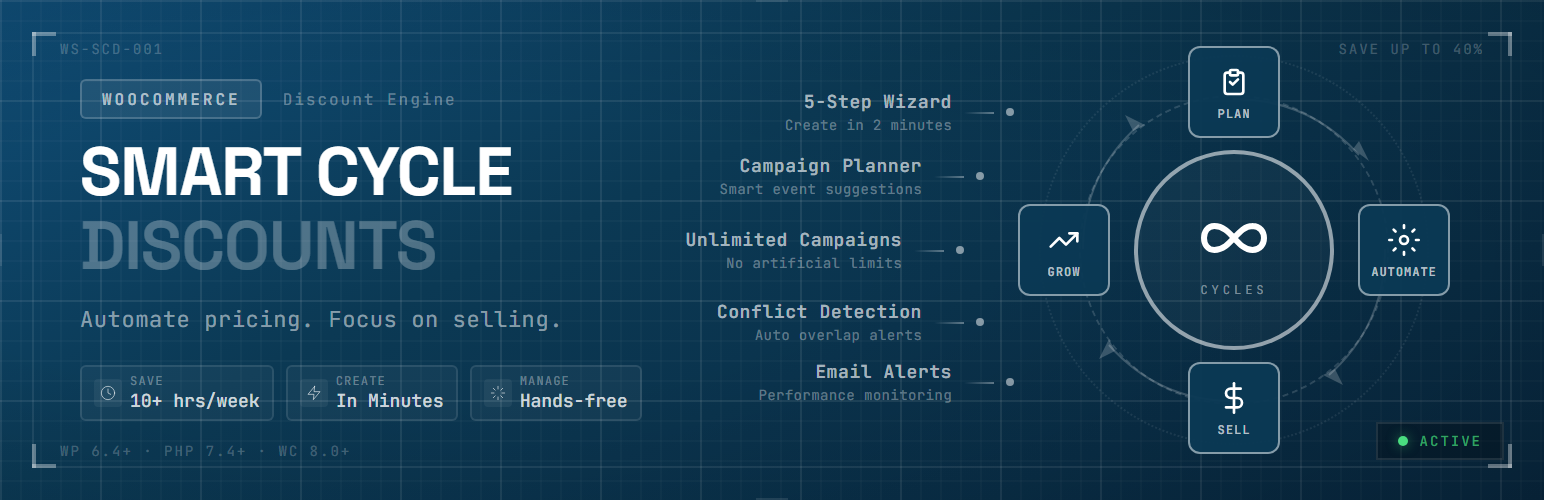
5-step wizard — create a campaign in minutes with guided setup and live preview
Setup wizard — scans your store on first install, detects conflicts, gets you started fast
Priority system — control exactly which discount wins when campaigns overlap
Works with any theme — uses WooCommerce’s native sale price system
Perfect For
Stores running seasonal sales (Black Friday, holiday, summer) that need to start and stop on time
Stores with multiple promotions that need to avoid conflicts and overlapping discounts
Stores that want to automate recurring deals (weekly specials, daily flash sales)
B2B and wholesale stores using role-based or tiered quantity pricing
Anyone tired of manually editing product prices every time a sale starts or ends
WooCommerce Discount Types and Dynamic Pricing Features
Free version includes:
Percentage discounts
Fixed amount discounts
BOGO (Buy One Get One) deals
Free shipping toggle inside campaign setup
User role targeting (include/exclude roles)
Location targeting by billing or shipping country
Recurring campaign scheduling (continuous or instances)
Pro version adds:
Tiered quantity discounts (volume pricing)
Spend threshold discounts (cart-based conditions)
Bundle deals (percentage, fixed, flat bundle pricing)
Advanced discount-rule controls for deeper eligibility and margin protection
Advanced subscription discount controls (when WooCommerce Subscriptions is active)
Full analytics dashboard and advanced exports
Advanced WooCommerce Promotion Engine
Smart Cycle Discounts is built as a campaign system, not a one-off rule editor.
Campaign lifecycle management (draft → scheduled → active → expired)
Smart product targeting (all products, specific products, random products, categories, advanced filters)
Timezone-aware scheduling automation
Priority resolution when campaigns overlap
Optimized caching and operations for larger WooCommerce catalogs
WooCommerce Promotion Conflict Detection
Before launch, Campaign Health and Campaign Intelligence evaluate operational risks including:
Promotion conflicts and overlapping discounts
Priority ties across concurrent campaigns
Stock exposure and product readiness
Schedule and timing consistency
Discount integrity and risk indicators
This shifts teams from reactive troubleshooting to proactive promotion control.
WooCommerce Campaign Analytics and Intelligence
Smart Cycle Discounts includes campaign-level operational insight so you can evaluate:
Which campaigns are driving meaningful revenue
Which discounted products perform best
Which promotions should be scaled, paused, or redesigned
The analytics dashboard helps stores optimize promotions instead of guessing which discounts work best.
Advanced analytics depth and exports are available in Pro, while base Campaign Intelligence guidance is included in the free version.
Popular WooCommerce Promotion Use Cases (BOGO, Bulk Discounts, Bundle Discounts, Sale Scheduler)
Smart Cycle Discounts can be used to run:
WooCommerce BOGO campaigns
WooCommerce bulk discount and tiered pricing campaigns
WooCommerce scheduled sales and recurring promotions
WooCommerce bundle discount campaigns and product packages
WooCommerce flash sales and seasonal campaigns
WooCommerce customer-segment discounts (roles and locations)
WooCommerce promotion cycles with planned campaign scheduling
Why Store Owners Switch to Smart Cycle Discounts
Most discount plugins let you create rules. Smart Cycle Discounts lets you run promotions.
Common problems with other discount plugins:
Discounts calculated on-the-fly slow your store to a crawl
“Sale” filter plugins can’t find your discounted products
Two discounts overlap and customers get double savings you didn’t intend
The free version is empty — every useful feature is locked behind Pro
Uninstalling leaves leftover sale tags and data in your database
How Smart Cycle Discounts is different:
Uses WooCommerce’s native sale price system — your discounted products appear in “On Sale” filters, work with any theme, and show correct strikethrough pricing everywhere. No on-the-fly calculations that slow down product pages.
Built-in conflict detection — Campaign Intelligence catches overlapping discounts, priority ties, and pricing risks before your customers do. You’ll know about problems before they cost you money.
Genuinely useful free version — percentage off, fixed amount, BOGO, scheduling, recurring campaigns, role targeting, and location targeting are all included free. No bait-and-switch.
Clean uninstall — deactivating or removing the plugin restores your original prices and removes all plugin data. No leftover sale tags or orphaned database entries.
Performance-first architecture — active campaigns are cached, product terms are batch-loaded, and admin assets only load on plugin pages. Your store stays fast.
Useful Links
Product page: Smart Cycle Discounts
Free plugin listing: WordPress.org Plugin Page
Documentation hub: Smart Cycle Discounts Docs
Changelog: Version History
Use cases: Campaign Use Cases
Discount calculator: WooCommerce Discount Calculator
Blog: WooCommerce Tips & Tutorials
Support: Support Center
Contact: Contact Webstepper
Privacy policy: Privacy Policy
Terms: Terms of Service
Get Started
Install and activate the plugin
The setup wizard scans your store and checks for conflicts
Create your first campaign with the 5-step wizard
Your discounts go live automatically — no product editing needed
Need Help?
Documentation
Support Forum