
內容簡介
**總結:**
Multiloca Lite 是一個WordPress外掛,讓您能夠在多個實體位置管理您的WooCommerce商品庫存,並向客戶展示這些信息。不論您擁有多個倉庫、零售店或配送中心,這個外掛能夠輕鬆跟蹤和展示每個位置的庫存水平。
**問題與答案:**
1. Multiloca Lite 的主要功能有哪些?
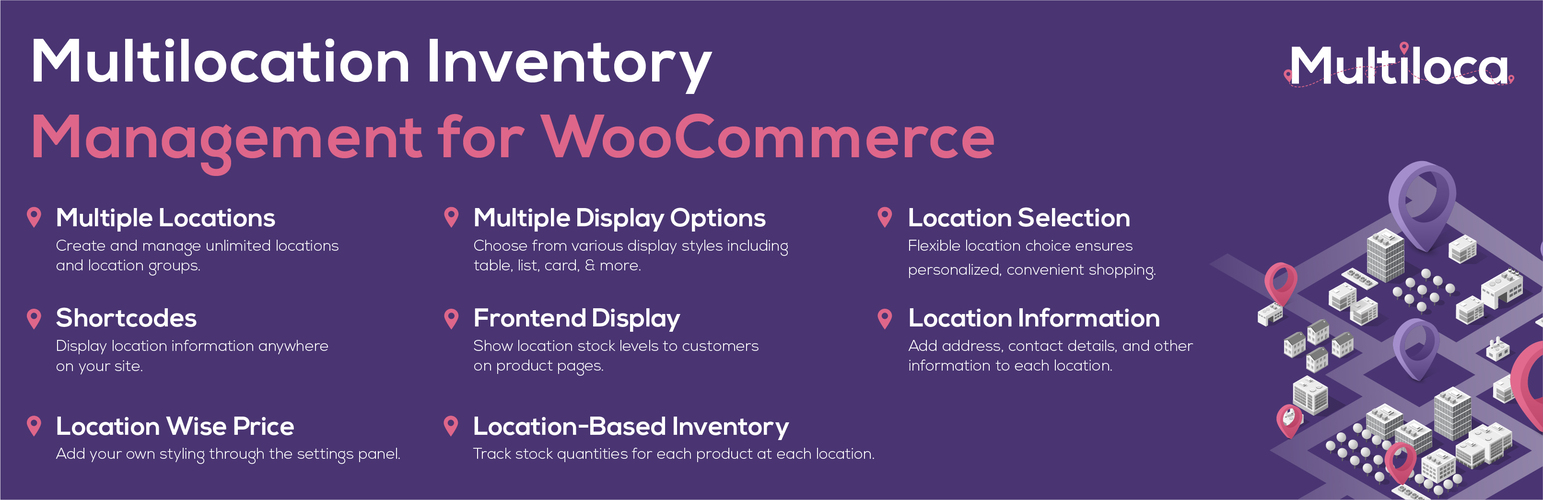
- 可以創建和管理無限多的位置和位置群組。
- 能夠在每個位置跟踪每件產品的庫存數量。
- 在產品頁面上向客戶展示位置庫存水平。
- 可以選擇從表格、列表、卡片等各種顯示風格。
- 可以透過設定面板添加自己的樣式。
- 為每個位置添加地址、聯絡方式和其他信息。
- 可以在網站的任何地方展示位置信息。
2. 有哪些高級功能是包含在Multiloca Lite 的Pro版本中的?
- 基於位置的訂單履行規則。
- 自動檢測客戶位置並顯示最近的庫存。
- 結帳期間的位置選擇。
- 每個位置的送貨和付款方式。
- 位置特定的定價。
- 自動庫存分配。
- 位置管理者角色和權限。
- 還有更多功能!
外掛標籤
開發者團隊
② 後台搜尋「Multiloca Lite – Multi Location Inventory Management for WooCommerce」→ 直接安裝(推薦)
原文外掛簡介
Multiloca is the ultimate WooCommerce multi-location inventory management solution for retail chains, franchises, warehouses, and regional stores. It allows you to manage Products stock across multiple physical locations and display real-time availability to customers.
⭐ Trusted by over 1,500 WooCommerce businesses worldwide – 4.7/5 average rating • More than 5 years on Envato Marketplace
Transform your single-location WooCommerce store into a powerful multi-location operation. Multiloca replaces global stock numbers with per-location inventory tracking, allowing you to assign products to unlimited stores, warehouses, or pickup points. Customers can see real-time availability and select their preferred location for pickup or delivery—all from one centralized dashboard.
» Buy Pro | » Live Demo | » Documentation
🏢 FREE VERSION FEATURES
📍 Unlimited Location Management
Create Unlimited Locations: Add as many stores, warehouses, pickup points, or regional centers as you need without restriction.
Detailed Location Profiles: Add comprehensive business info including address, contact details, email, phone numbers, and business hours for each location.
Bulk Assignment using Product Central: Easily assign products to one or multiple locations in bulk to save time.
Hide/ Show Locations: Hide or Show locations temporarily (e.g., for renovations) without deleting data.
📦 Location-Based Inventory Tracking
Centralized Stock Control: Manage inventory for all locations from one unified WooCommerce dashboard.
Separate Stock Quantities: Set unique stock levels for every product at each location (e.g., Store A: 10, Store B: 5).
Real-Time Status: Instantly view which locations have stock, which are low, and which are sold out.
Stock Status Management: Control “In Stock”, “Out of Stock”, and “Backorder” statuses individually per location.
🎨 Frontend Display
Real-Time Availability: Show customers exactly where items are in stock directly on product pages.
Flexible Layouts: Choose from multiple display styles: Tables, Lists, Cards, Expanded panels, or Simple text to match your theme.
Customizable Messages: Translate or customize “In Stock”, “Out of Stock”, and “Available at:” messages.
Responsive Design: Fully mobile-optimized layouts ensure a perfect experience on phones and tablets.
🛒 Customer Experience (UX)
Customer Location Selection: Allow shoppers to select their preferred store or warehouse before adding to cart.
Smart Validation: Automatically prevent overselling by validating the cart quantity against the selected location’s stock.
Persistent Selection: Remembers the customer’s chosen location across their session using smart cookies.
Shortcode Support: Use shortcode to place inventory info anywhere on your site (widgets, page builders, etc.).
📋 Order Fulfillment & Management
Location-Tagged Orders: Every order line item is tagged with the specific fulfillment location chosen by the customer.
Automatic Stock Reduction: Inventory is automatically deducted from the correct location immediately upon purchase.
Order Filtering: Filter WooCommerce orders by location in the admin panel to streamline fulfillment workflows for different stores.
Restock on Cancellation: Cancelled or refunded orders automatically restore stock to the original fulfillment location.
Admin Order View: Quickly see the fulfillment location for every item directly in the order details screen.
🔧 Advanced Technical Features
HPOS Compatible: Fully supports WooCommerce High-Performance Order Storage for maximum speed.
REST API Support: Extend functionality with full REST API endpoints for locations and stock.
Developer Hooks: Extensive actions and filters for customization by developers.
AJAX Operations: Smooth, dynamic frontend updates without page reloads.
Secure Code: Implements nonce verification and data sanitization for enterprise-grade security.
🚀 PRO VERSION FEATURES
Unlock the full power of multi-location commerce with Multiloca Pro. Includes everything in Lite, plus:
🌍 Smart Geolocation & Store Finder
Auto-Detect Customer Location: Automatically detect user IP or ask user to share location to show stock and prices from the nearest store.
Interactive Store Locator: Google Maps or OpenStreetMap integration with store markers, directions, and info cards.
Distance-Based Sorting: Automatically sort locations by distance from the customer to show the most relevant options first.
Radius Search: Allow customers to search for stores within a specific km/mile radius.
Geolocation Privacy: Uses IP technology to detect locations (processing IP only for city/country determination, no personal data stored). Feature can be disabled in settings.
🚚 Advanced Shipping & Logistics
Universal Shipping Compatibility: Compatible with most WooCommerce shipping plugins to calculate rates from all locations.
Location-Specific Shipping Zones: Assign specific Shipping Zones and Methods to individual locations so they only ship to permitted areas.
Distance Rate Shipping plugin Campatible: Calculate shipping costs dynamically based on the exact distance from the fulfillment center to the customer.
Compatible with Advanced Shipping Plugin: Set different conditinal shipping rules for different locations (e.g., Free shipping over $50 for Local Store, $100 for Warehouse).
Carrier Integration: Works seamlessly with major shipping carriers and label printing plugins.
Shipping Classes: Apply different shipping classes per location for granular control.
🧾 Regional Pricing & Payments
Location-Based Pricing: Set different regular and sale prices for different regions or stores (e.g., higher prices in city centers).
Location-Based Payment Gateways: Enable or disable specific payment gateways based on the selected location (e.g., “Cash on Delivery” only for physical stores).
Currency Support: Display prices in different currencies based on location (requires multi-currency setup).
Tax Rules: Apply specific tax rates based on the fulfillment location’s jurisdiction or the customer’s location.
🎯 Marketing, SEO & Reviews
Location-Specific SEO: Generate structured data (Schema.org) and unique meta titles/descriptions for each location page to boost local ranking.
Local SEO Pages: Dedicated landing pages for each location to capture “near me” search traffic.
Store-Specific Reviews: Show Google Place-based reviews for individual locations to build authentic local trust.
Promotions: Run location-specific discounts and coupons (e.g., 20% off at the Downtown branch only).
Location Ratings: Display aggregated star ratings for each store location.
Stock Threshold Messages: Display custom low-stock messages per location (e.g., “Only 2 left at Downtown!”) to create urgency.
👥 Team Management
Store Manager Roles: Assign “Store Manager” roles with access restricted strictly to their specific location’s orders and stock.
Location-Based Notifications: Send new order emails only to the manager responsible for that location.
🔄 Smart Routing (Premium plan)
Smart Routing Logic: Automatically assign orders to the most appropriate location based on Rules / Conditions.
🏢 Advanced Operations (Premium Plan)
Rule-Based Order Routing: Define advanced, custom rules to route orders based on priority, stock levels, location type, and more.
Vendor & PO Management: Manage suppliers, track costs, and automatically generate purchase orders when stock is low.
Stock Transfer System: Robust tools to transfer stock between warehouses/stores with full history tracking and status updates.
Business Hours Automation: Automatically Hide/show specific locations when they are closed or on holiday.
Conditional Stock Messages: Display custom stock level messages based on conditional rules e.g products, category
📊 Analytics & Reporting
Per-Location Reports: Get detailed reports on sales, stock levels, and profit margins for each individual location.
Low Stock Alerts: Receive automated email notifications when specific locations run low on inventory.
Export/Import: Advanced CSV export/import tools for bulk updating stock, prices, and location data.
Transfer History: Complete audit logs of all stock movements between locations.
Get Multiloca Pro →
💎 WHY CHOOSE MULTILOCA?
Native WooCommerce Experience: Built to feel like a core part of WooCommerce, ensuring ease of use and compatibility.
Performance Optimized: Fully compatible with HPOS (High-Performance Order Storage) for blazing fast speed and scalability.
Developer Friendly: Comprehensive REST API support and standard WooCommerce taxonomy structure for custom integrations.
Reliable Support: Backed by a dedicated team with 5+ years of experience in the WordPress ecosystem.
Regular Updates: We release frequent updates to ensure compatibility with the latest WooCommerce and WordPress versions.
Translation Ready: Fully compatible with WPML, Polylang, and Loco Translate for multilingual stores.
🧰 USE CASES
Retail Chains
Unify your physical POS inventory with your online store for a seamless omnichannel experience. Allow customers to browse online and pick up at the nearest branch, increasing foot traffic and cross-selling opportunities.
Multi-Warehouse Logistics
Optimize logistics by shipping from the warehouse closest to the customer. This significantly reduces shipping costs and delivery times, improving overall customer satisfaction and margins.
Click & Collect (BOPIS)
Empower customers to buy online and pick up in-store (BOPIS). Multiloca handles the complex inventory logic, ensuring that customers can only select stores that actually have the item in stock.
Franchise Networks
Allow individual franchise owners to manage their own stock and orders within a single network. Store managers get their own dashboard view, restricted to their specific location.
Multi-Vendor Marketplaces
Enable multi-vendor setups where each vendor manages their own stock locations. Perfect for platforms like Dokan or WCFM where vendors need location-specific inventory control.
Service Centers
Manage parts inventory across multiple service center locations. Technicians can check stock at other branches instantly and request transfers.
Pop-up Stores & Events
Quickly spin up temporary locations with their own stock tracking for events, markets, or seasonal pop-ups. Disable them easily when the event ends without losing data.
🔌 THIRD-PARTY COMPATIBILITY
Multiloca is tested and compatible with the most popular WooCommerce extensions and page builders:
* Page Builders: Elementor, Divi, Beaver Builder, WPBakery.
* Multilingual: WPML, Polylang, Loco Translate.
* Shipping: WooCommerce Shipping, Advanced Flat Rate Shipping, Table Rate Shipping.
* POS: WooCommerce POS, Point of Sale for WooCommerce.
* SEO: Yoast SEO, RankMath, All in One SEO.
👨💻 FOR DEVELOPERS
Multiloca is built with developers in mind, offering a flexible architecture for customization:
* REST API: Full endpoints to Create, Read, Update, and Delete locations and stock levels.
* Hooks & Filters: Multiple actions and filters to modify behavior, display, and logic.
* Design Overrides: Use CSS classes in your theme to customize the frontend display completely.
* Documentation: Detailed developer documentation available for advanced integrations.
Support
We are here to help!
* Free Users: Please post your questions on the WordPress.org support forum.
* Pro / Paid Users: Please contact us via email at [email protected] for priority assistance.