內容簡介
總結:Intufind是一個WordPress外掛,使用AI理解自然語言,提供智能聊天助手和智能產品推薦,無需OpenAI帳戶、API密鑰或技術設置。
問題與答案:
1. 為什麼訪客在WordPress搜索"舒適的遠足鞋"時會得到零結果?
- 因為預設的WordPress搜索僅匹配準確的關鍵詞,無法理解人們的實際意思。
2. Intufind如何解決這個問題?
- Intufind替換了您的搜索功能,使用AI理解自然語言並添加智能聊天助手,提供智能產品推薦,而無需OpenAI帳戶、API密鑰或任何技術設置。
3. 安裝Intufind外掛後需要做什麼?
- 安裝外掛、啟用它,然後輸入您的Intufind秘密金鑰。
4. 什麼使Intufind與其他AI外掛不同?
- Intufind不是一個工具包,而是一個完整且使用麻煩的產品,無需OpenAI、Anthropic或Google API密鑰,也無需管理任何第三方AI帳戶。
5. Intufind的價格如何?
- Intufind提供即完成的AI搜索和聊天產品,價格每月從9美元起,無需任何其他設置。
外掛標籤
開發者團隊
原文外掛簡介
Your visitors search for “comfortable shoes for hiking” and get zero results. That’s because default WordPress search only matches exact keywords — it doesn’t understand what people actually mean.
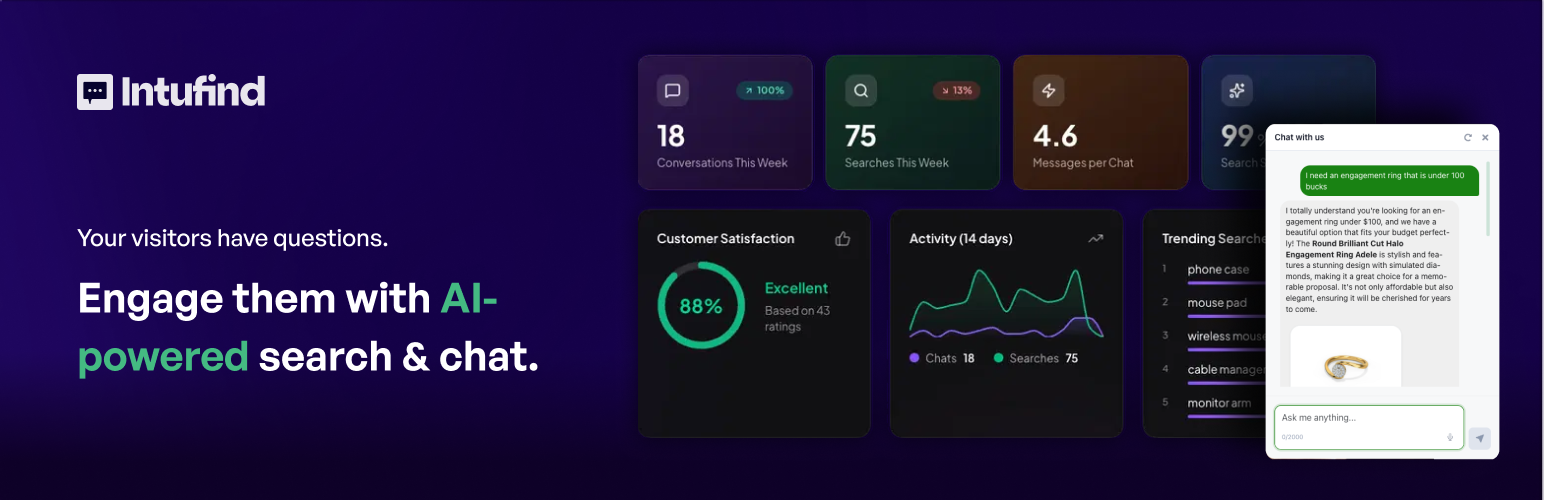
Intufind fixes that. It replaces your search with AI that understands natural language, adds an intelligent chat assistant, and powers smart product recommendations — all without needing an OpenAI account, API key, or any technical setup.
Install the plugin, activate it, and enter your Intufind Secret Key. Intufind handles the AI on its own servers so you never have to manage tokens, usage limits, or billing with OpenAI, Anthropic, or anyone else.
🎥 See Intufind AI Chat in Action
⚡ How Intufind Is Different From Other AI Plugins
Most WordPress AI plugins are toolkits. They connect your site to external AI providers, but you have to bring your own API key, configure embeddings, choose models, and build the experience yourself. That works for developers. It does not work for store owners who just want better search.
Intufind is not a toolkit. It is a complete, ready to use product.
✅ No OpenAI, Anthropic, or Google API key required
✅ No third party AI account to create or manage
✅ No vector database setup
✅ No prompt engineering or model selection
✅ No usage based billing surprises from external providers
✅ Everything runs through Intufind’s own AI infrastructure
Under the hood, Intufind uses a multi-agent AI architecture with models specifically selected and tuned for each task — search ranking, chat conversations, product recommendations. You get the benefit of that engineering without touching a single setting.
Other AI plugins require your own API keys and developer knowledge to get running. Some customer support platforms offer AI as a premium add-on starting at $29/month or more. Intufind gives you AI search and chat as a finished product starting at $9/month with nothing else to configure.
🔍 Semantic Search
Replaces your default WordPress search with AI that understands natural language. When someone types “something warm but not too bulky” or “gifts under $50 for someone who likes cooking,” Intufind knows what they mean and returns the right results. It handles typos, vague descriptions, and conversational queries without any tuning.
💬 AI Chat Assistant
A built in assistant that guides visitors through your content and products. It answers questions, makes recommendations, and helps people find what they came for. Think of it as a knowledgeable sales associate that never clocks out.
🎯 Smart Recommendations
Context aware suggestions that surface relevant products, posts, and pages your visitors would have missed. Not based on browsing history or cookies. Based on understanding what the visitor is actually looking for.
🤝 Live Agent Handoff
The AI knows when a question needs a human. Complex or sensitive inquiries get routed to your support team seamlessly, so visitors never hit a dead end.
🔄 Auto Sync
When you publish new pages, products, or posts, Intufind picks them up automatically. No re-indexing. No manual updates. Your search results are always current.
🛒 Built for WooCommerce
Intufind scans your entire product catalog including titles, descriptions, pricing, categories, and custom fields. Visitors search the way they think, and Intufind delivers the right products. Fewer dead end searches means more conversions.
🔐 Privacy First
Intufind only indexes publicly available content on your site. It never touches private content, drafts, user data, or personal information.
🚀 Performance
Sub 100ms response times via global edge deployment. 99.9% uptime SLA. Your search will be faster than it has ever been.
🔧 Compatible With
WordPress
WooCommerce
Elementor
Gutenberg
Advanced Custom Fields (ACF)
Developer API available at intufind.com/docs/api for custom integrations.
🆓 Getting Started
Install the plugin, activate it, enter your Intufind Secret Key, and you’re live. Intufind begins indexing your content automatically. Most sites are fully searchable within minutes.
Plans start at $9/month with a 14 day free trial. No credit card required.
Use of Third Party Services
This plugin connects to Intufind’s servers to provide AI powered search and chat functionality. When activated, your publicly available site content (pages, posts, and products) is sent to Intufind’s servers for indexing and processing.
Intufind – Terms of Service | Privacy Policy
No data is shared with OpenAI, Anthropic, Google, or any other third party AI provider. All AI processing is handled through Intufind’s own infrastructure.
Privacy
This plugin connects to the Intufind cloud service (intufind.com) to provide AI-powered search and chat functionality.
Data Sent to Intufind
When you connect and sync content, the following data is transmitted to Intufind servers:
Post and page content (title, body, excerpt, permalink)
Product information for WooCommerce (name, description, price, SKU, categories, images)
Taxonomy terms (categories, tags, product attributes)
Post meta that is marked as public
Data NOT Collected
User personal information (emails, names, addresses)
Order details or customer data
Passwords or authentication credentials
Private or draft content (only published content is synced)
Comments or user-generated content
Chat Widget
The chat widget loads from Intufind’s CDN (cdn.intufind.com). When visitors use the chat:
Their questions are processed by Intufind’s AI
No personally identifiable information is collected
Chat conversations are not stored unless you enable analytics in your dashboard
MCP Server (WooCommerce)
If you enable the MCP Orders domain for WooCommerce:
Order lookups are performed locally on your WordPress server
Order data stays on your server and is not sent to Intufind
The Intufind cloud only routes requests to your server
How Order Lookups Work:
When a customer asks about their orders through the chat:
The question is analyzed by Intufind’s AI in the cloud
If it’s an order question, Intufind sends a request back to YOUR WordPress site
Your WordPress plugin looks up the order using WooCommerce
Only the relevant order summary is returned to complete the AI response
The full order database is never accessed by or copied to Intufind servers.
Data Retention
Synced content remains in Intufind’s cloud until you disconnect or delete it
Disconnecting removes all your indexed content from Intufind servers
You can request complete data deletion by contacting [email protected]
External Service
This plugin connects to the Intufind cloud service to provide AI-powered features. The plugin and cloud service are developed by the same team. By using this plugin, you agree to Intufind’s:
Terms of Service
Privacy Policy
GDPR Compliance
Intufind is designed with privacy in mind. Since no personal user data is collected or transmitted, standard GDPR consent mechanisms for visitor data are not required. However, you should update your site’s privacy policy to disclose that content is processed by a third-party AI service.