

前言介紹
- 這款 WordPress 外掛「GiftFlow」是 2026-02-22 上架。
- 目前尚無安裝啟用數,是個很新的外掛。如有要安裝使用,建議多測試確保功能沒問題!
- 上一次更新是 2026-02-23,距離現在已有 3 天。
- 外掛最低要求 WordPress 6.0 以上版本才可以安裝。
- 外掛要求網站主機運作至少需要 PHP 版本 7.4 以上。
- 尚未有人給過這款外掛評分。
- 還沒有人在論壇上發問,可能目前使用數不多,還沒有什麼大問題。
外掛協作開發者
外掛標籤
charity | campaigns | donations | nonprofit | fundraising |
內容簡介
總結:GiftFlow 是一個功能強大的 WordPress 外掛,旨在幫助組織高效管理捐款、捐助者和籌款活動。採用現代 WordPress 標準和可擴展的架構,GiftFlow 提供一切您需要的功能來接受捐款、追蹤活動、管理捐助者關係。
### 問題與答案:
1. GiftFlow 主要用於管理什麼?
- 答:管理捐款、捐助者和籌款活動。
2. GiftFlow 提供什麼捐款管理功能?
- 答:使用自定義文章類型進行捐款、捐助者和活動、全面的捐助者個人資料、捐款歷史記錄、交易詳細信息和狀態管理。
3. 透過哪些付款方式進行支付處理?
- 答:支持多個付款閘道,包括 Stripe、PayPal 和直接銀行轉帳。
4. 如何管理捐款活動?
- 答:可以建立和管理無限捐款活動,設定目標並實時追踪進度、針對活動的捐款表單、活動分析報告和可視化進度指示器。
5. GiftFlow 使用哪些區塊來編輯內容?
- 答:支援 Gutenberg 區塊,包括捐款活動展示區塊、捐款表單區塊和活動內容區塊,並完整支援區塊編輯器。
原文外掛簡介
GiftFlow is a powerful WordPress plugin designed to help organizations manage donations, donors, and fundraising campaigns efficiently. Built with modern WordPress standards and an extensible architecture, GiftFlow provides everything you need to accept donations, track campaigns, and manage donor relationships.
Key Features
Donation Management
Custom post types for donations, donors, and campaigns
Comprehensive donor profiles with contact information
Donation history tracking
Transaction details and status management
Support for one-time and recurring donations
Payment Processing
Multiple payment gateway support (Stripe, PayPal)
Secure payment processing with PCI compliance
Direct bank transfer option
Real-time payment status updates
Webhook integration for payment notifications
Campaign Management
Create and manage unlimited donation campaigns
Set campaign goals and track progress in real-time
Campaign-specific donation forms
Campaign analytics and reporting
Visual progress indicators
Form Builder
coming soon
Reporting & Analytics
Admin dashboard with statistics
Export functionality
Gutenberg Blocks
Campaign display blocks
Donation form blocks
Campaign content blocks
Full block editor support
Payment Gateways
GiftFlow supports multiple payment gateways through official SDKs:
Stripe – Direct integration using Stripe PHP SDK for secure credit/debit card processing
PayPal – Direct integration using PayPal JS SDK v6 and REST API v2 with Smart Buttons for seamless payment experience
Direct Bank Transfer – Manual payment option for bank transfers
Additional payment gateways can be added through the plugin’s extensible gateway architecture.
Development
This plugin uses Laravel Mix (a wrapper around Webpack) to compile and bundle JavaScript and CSS files for production.
Source Code
The original source code for all compiled JavaScript and CSS files can be found at:
https://github.com/miketropi/giftflow
File Structure
In the assets/js/ directory, the plugin follows this naming convention:
*.js – Original, uncompiled source files (human-readable)
*.bundle.js – Compiled/minified production files (generated by build process)
For example:
forms.js → Source file
forms.bundle.js → Compiled production file
The same pattern applies to all JavaScript files:
common.js / common.bundle.js
stripe-donation.js / stripe-donation.bundle.js
paypal-donation.js / paypal-donation.bundle.js
grecaptcha.js / grecaptcha.bundle.js
Only the *.bundle.js files are enqueued in production. The source *.js files are included in the repository for transparency and to comply with WordPress.org guidelines requiring human-readable source code.
Build Commands
To rebuild assets locally:
npm install - Install dependencies
npm run dev - Watch for changes and rebuild automatically during development
npm run build - Build for production (minified)
External Services
This plugin relies on the following third-party services to provide its functionality. These services are only used when explicitly enabled by the site administrator. By using these features, data may be transmitted to external servers. Please review the terms and privacy policies of each service before enabling them.
Stripe (stripe.com)
This plugin uses the Stripe payment gateway to process credit and debit card donations securely.
Service Provider: Stripe, Inc.
Service URL: https://stripe.com
Data Transmitted:
Payment card information (processed directly by Stripe, not stored on your server)
Donation amount and currency
Donor name and email address
Billing address (if collected)
Transaction metadata (donation ID, campaign ID)
When Data is Sent:
When a donor submits a donation form using Stripe as the payment method
When processing refunds through the admin dashboard
When verifying webhook signatures for payment status updates
Legal:
Terms of Service: https://stripe.com/legal
Privacy Policy: https://stripe.com/privacy
PayPal (paypal.com)
This plugin uses PayPal to process donations through PayPal accounts and PayPal Smart Payment Buttons. The plugin communicates with PayPal’s REST API using the following base URLs:
Production: https://api.paypal.com
Sandbox (testing): https://api.sandbox.paypal.com
Service Provider: PayPal Holdings, Inc.
Service URL: https://www.paypal.com
Data Transmitted:
Donation amount and currency
Donor name and email address
Order description and transaction metadata
Return URLs for payment completion
When Data is Sent:
When a donor initiates a donation using PayPal as the payment method
When creating and capturing PayPal orders via the REST API
When processing refunds through the admin dashboard
Legal:
Terms of Service: https://www.paypal.com/webapps/mpp/ua/useragreement-full
Privacy Policy: https://www.paypal.com/webapps/mpp/ua/privacy-full
Google reCAPTCHA (google.com/recaptcha)
This plugin optionally uses Google reCAPTCHA to protect donation forms from spam submissions and automated abuse.
Service Provider: Google LLC
Service URL: https://www.google.com/recaptcha
Data Transmitted:
User’s IP address
Browser user agent and plugins
Mouse movements and keystrokes on the page
JavaScript environment information
reCAPTCHA site key
When Data is Sent:
When a donation form with reCAPTCHA protection is loaded
When a donor interacts with or submits a protected donation form
Legal:
Terms of Service: https://policies.google.com/terms
Privacy Policy: https://policies.google.com/privacy
Social sharing (Share block)
The GiftFlow Share block allows visitors to share campaign or page content to social networks. When share buttons are used, the browser may open or redirect to the following third-party URLs. No data is sent from your server to these services; the user’s browser loads the share URL with the page title and URL that the user chooses to share.
Services and URLs used:
Facebook – https://www.facebook.com/sharer/sharer.php (with u = shared URL)
X (Twitter) – https://twitter.com/intent/tweet (with url and text)
LinkedIn – https://www.linkedin.com/sharing/share-offsite/ (with url)
WhatsApp – https://api.whatsapp.com/send (with text containing title and URL)
Pinterest – https://pinterest.com/pin/create/button/ (with url and description)
Reddit – https://reddit.com/submit (with url and title)
Telegram – https://t.me/share/url (with url and text)
Data transmitted: Only the page URL and title (or description) that the user is sharing, passed as query parameters in the share link. No data is sent to these services until the user clicks a share button.
When data is sent: When a visitor clicks a social share button in the Share block.
Google Maps Platform (developers.google.com/maps)
This plugin optionally uses Google Maps to display campaign locations and geographic information.
Service Provider: Google LLC
Service URL: https://developers.google.com/maps
Data Transmitted:
Map coordinates and location queries
User’s IP address (by Google when loading map tiles)
Google Maps API key
When Data is Sent:
When a page containing a Google Maps embed is loaded
When geocoding addresses for campaign locations
Legal:
Terms of Service: https://cloud.google.com/maps-platform/terms
Privacy Policy: https://policies.google.com/privacy
Important Privacy Notice
Site administrators are responsible for ensuring compliance with applicable privacy laws (such as GDPR) when using these third-party services. We recommend:
Disclosing the use of these services in your site’s privacy policy
Obtaining appropriate consent from users before processing their data
Reviewing each service’s data processing agreements
各版本下載點
- 方法一:點下方版本號的連結下載 ZIP 檔案後,登入網站後台左側選單「外掛」的「安裝外掛」,然後選擇上方的「上傳外掛」,把下載回去的 ZIP 外掛打包檔案上傳上去安裝與啟用。
- 方法二:透過「安裝外掛」的畫面右方搜尋功能,搜尋外掛名稱「GiftFlow」來進行安裝。
(建議使用方法二,確保安裝的版本符合當前運作的 WordPress 環境。
延伸相關外掛(你可能也想知道)
 GiveWP – Donation Plugin and Fundraising Platform 》GiveWP 是為 WordPress 設計的最高評價、下載次數最多和支援最好的捐款外掛。不論您需要簡單的捐款按鈕或是針對線上捐款進行優化的強大捐款平台,GiveWP 都能...。
 Charitable – Donation Plugin for WordPress – Fundraising with Recurring Donations & More 》pliant in just a few clicks with Charitable. Your donors’ data is protected and encrypted at all times., Charitable is also flexible and extensible...。
 Donorbox – Free Recurring Donation Plugin and Fundraising Platform 》Donorbox是一款強大且安全的WordPress捐款管理外掛程式。我們是唯一提供快速且功能豐富解決方案的WordPress捐款外掛程式,任何人都可以募集資金。, 如果你正...。
 Donation Platform for WooCommerce: Fundraising & Donation Management 》最快成長的捐贈系統,適用於您的慈善機構、非政府組織或個人籌款活動, 示範 | 文件 | 入門, Donation Platform for WooCommerce(WooCommerce 捐贈平台)發揮...。
 GiveWP Donation Widgets for Elementor 》GiveWP Donation Widgets for Elementor是將GiveWP shortcode或blocks嵌入Elementor頁面的最簡單方法。, 不再需要鬧钟式地處理shortcode args或比較文件。只...。
 Better Payment – Instant Payments, Donations, Fundraising with Subscriptions & More 》Better Payment 可以讓您透過一個按鈕輕鬆地在 WordPress 站點上管理自己的付款結帳頁面,不會有任何麻煩。Better Payment 與 Elementor 完美整合,讓您可以...。
 Paymattic – Secure, Simple Payment & Donation with Subscription Payments, Recurring Donations, Customer Management 》使用者指南 | 演示 | API, 想要在 WordPress 中接受簡單的付款和使用者輸入嗎?那麼 Paymattic 就是最適合您的外掛。, 利用 Stripe 結帳及內建的表單建立功能...。
 Leyka 》該外掛支援多種付款方式,包括透過 Cloudpayments、Yandex.Kassa、PayPal、Chronopay、QIWI Kassa、ROBOKASSA 和 RBK Money 系統的 Visa 和 MasterCard 銀行...。
 Potent Donations for WooCommerce 》Donations for WooCommerce 外掛可讓您透過 WooCommerce 商店接受各種不同的捐贈金額。它添加了一個「捐贈」商品類型,供最終用戶自訂價格。, 如果您喜歡這個...。
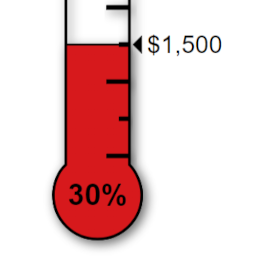 Donation Thermometer 》簡易易用, 只需使用短碼 [thermometer raised=?? target=??],即可在任何文章、頁面或側邊欄上顯示傳統風格的追蹤溫度計。, 完全自訂, 可製作無限多個溫度計...。
 FundEngine – Donation and Crowdfunding Platform 》WP 募款捐款外掛和群眾募資平台提供單一捐款和群眾募資方案。該外掛為任何人在 WordPress 上創建群眾募資和單一捐款站點提供了能力。, , 創建群眾募資網站:, ...。
 Ultimeter 》Ultimeter 可以透過簡單的短碼、小工具或區塊來顯示不同的計量器(Lite 版提供了一個溫度計和一個進度條,Pro 版提供了三個以上的計量器選擇),您可以選擇百...。
 Civist – Petitions and Fundraising 》透過 WordPress 的外掛功能,直接建立並設定你的請願活動。發佈在網頁或文章中,即可開始行動!支持者可以直接在嵌入在你網站上的請願表格中簽署請願。, 加入...。
 Crowdfundly 》一站式數字籌款解決方案,適用於 WordPress。, 您可以使用 Crowdfundly 建立籌款網站,為任何原因籌集資金,例如:慈善機構、非營利組織、學校、政治競選、宗...。
 Whydonate – FREE Donate button – Crowdfunding – Fundraising 》使用Whydonate的捐贈按鈕外掛程式,您可以直接在WordPress網站上接受捐款。將按鈕放置在網站的任何位置,立即開始籌集資金。此外掛程式易於安裝並且高度可自...。