內容簡介
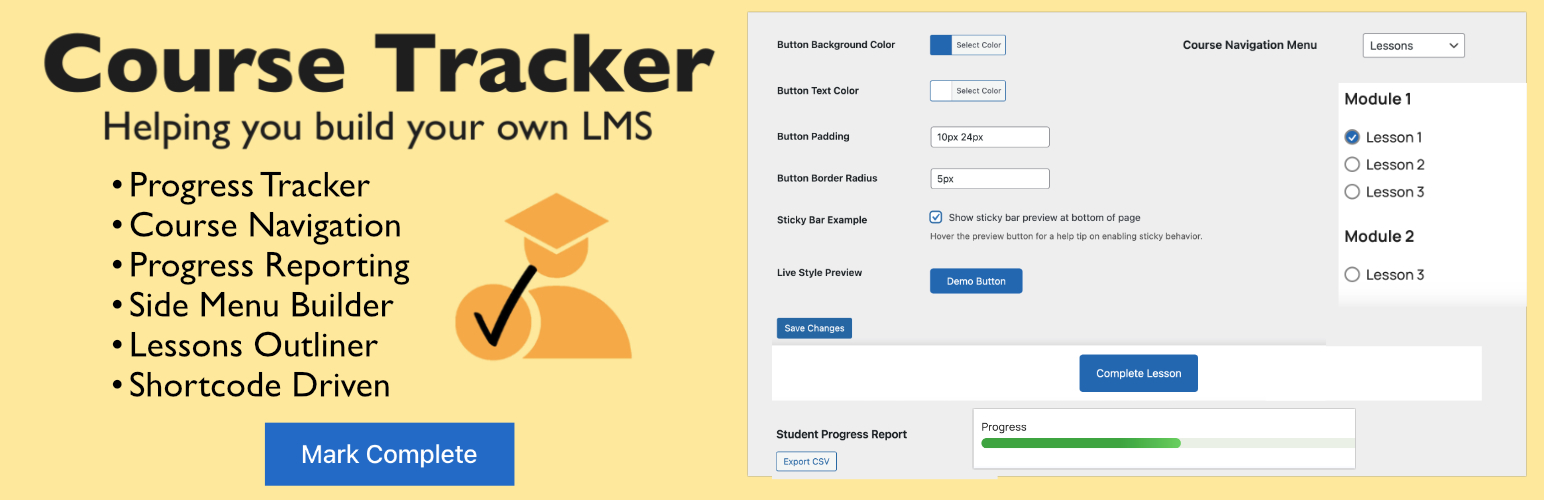
總結:Course Tracker是一款現代化且使用者友善的外掛程式,可用於管理課程並追蹤學生課程完成狀況。設計快速和簡單,可與任何主題並使用WordPress菜單作為課程導覽。學生可以勾選課程,查看進度,以及(可選)備份或還原他們的數據。
問題與答案:
1. Course Tracker的特色有哪些?
- 簡單的設置,只需為您的課程指定WordPress菜單。
- 學生可點選標記已完成的課程。
- 可視化導航,包含勾選和箭頭標示。
- 顯示進度條和課程大綱。
- 可選的滑入課程追踪面板。
- 與所有主題和頁面建構工具兼容。
- 代碼少,快速且符合標準。
2. Course Tracker適合哪類人使用?
- 想要簡單追蹤進度的課程創作者。
- 會員網站和在線課程。
- 希望彈性和隱私的DIY教育工作者。
- 預算有限的開發人員和管理員,他們正在建立DIY課程。
- 想要擺脫昂貴LMS訂閱的人。
3. 如何使用Course Tracker的一些指令?
- [ctrkr_nav]:帶標記的課程導覽。
- [ctrkr_complete_button text=" "]:標記當前課程為完成的按鈕。
- [ctrkr_nav_arrows]:上一節/下一節課程箭頭。
- [ctrkr_course_outline]:進度條和大綱表。
- [ctrkr_lesson_position]:顯示純文本:第N課,共Total課。
- [ctrkr_progress_text]:顯示 < 完成X課中的Y課 >,並包含上一節/下一節箭頭。
外掛標籤
開發者團隊
② 後台搜尋「Course Tracker – Simple WordPress Lesson Progress & LMS Navigation」→ 直接安裝(推薦)
原文外掛簡介
Course Tracker is a lightweight, shortcode-driven WordPress plugin that lets you build your own mini LMS directly inside WordPress – no coding or external LMS required.
It’s powered by the WordPress Menu Builder, which you use to structure your course outline. Each menu item (lesson) automatically becomes part of a side navigation panel – complete with progress checkmarks and arrows that update as students mark lessons complete.
Fully compatible with Classic Editor, Gutenberg, and all major page builders such as Bricks Builder, Elementor, and Beaver Builder, Course Tracker helps you track lessons, show progress bars, and guide students through your course in a clean, visual way.
Designed for creators who want course progress tracking without complex LMS setups, it delivers everything you need to create a motivating learning experience – fast, flexible, and privacy-friendly.
Key Features
Shortcode-Driven: Add course navigation, progress bars, and completion buttons anywhere – no coding required.
Menu-Based Navigation: Uses the native WordPress Menu Builder to create your course outline and automatically show lesson checkmarks and arrows as students progress.
Lesson Completion Tracking: Students can mark lessons complete and instantly see their updated progress.
Progress Bars & Checkmarks: Display lesson progress visually with customizable bars, icons, and completion text.
Build Your Own LMS: Create a complete learning experience directly inside WordPress – no third-party LMS plugins or subscriptions needed.
Works with All Editors: Compatible with Classic Editor, Gutenberg, Bricks Builder, Elementor, and other page builders.
Lightweight & Fast: Built for speed, simplicity, and compatibility with any theme.
Save & Restore Progress: Students can export or import progress data anytime – no external accounts or sync required.
Privacy-First: All progress data stays in your WordPress database, never sent elsewhere.
Usage
After setup, use these shortcodes in your pages or templates:
[ctrkr_nav] – Displays course navigation with checkmarks.
[ctrkr_complete_button text=" "] – Adds a button to mark the current lesson as complete.
[ctrkr_nav_arrows] – Adds Previous/Next lesson arrows.
[ctrkr_course_outline] – Shows progress bar and course outline.
[ctrkr_lesson_position] – Displays text like Lesson X of Y.
[ctrkr_progress_text] – Displays Completed X of Y lessons with navigation arrows.
Example:
Place [ctrkr_nav] in your sidebar or course page for navigation.
Add [ctrkr_complete_button] to each lesson page so students can mark it complete.
Settings
Course Navigation Menu: Choose the WordPress menu that represents your course.
Show Navigation Title: Display a title above the course navigation.
Slide-in Tracker Panel: Optionally enable a floating slide-in menu for navigation.
Styling: Customize button colors with the built-in Button Styler, or fine-tune further using the WordPress Customizer or your theme’s CSS.
Student Reports: View student progress and export to a spreadsheet.
External Services
This plugin connects to SureCart via api.surecart.com for license verification (to unlock the premium version).
What: The entered license key is sent to SureCart for validation.
When: Only when you enter or remove a license key in the plugin settings.
Data sent: License key only – no student or course data.
Purpose: To enable premium features after purchase.
SureCart Privacy Policy