
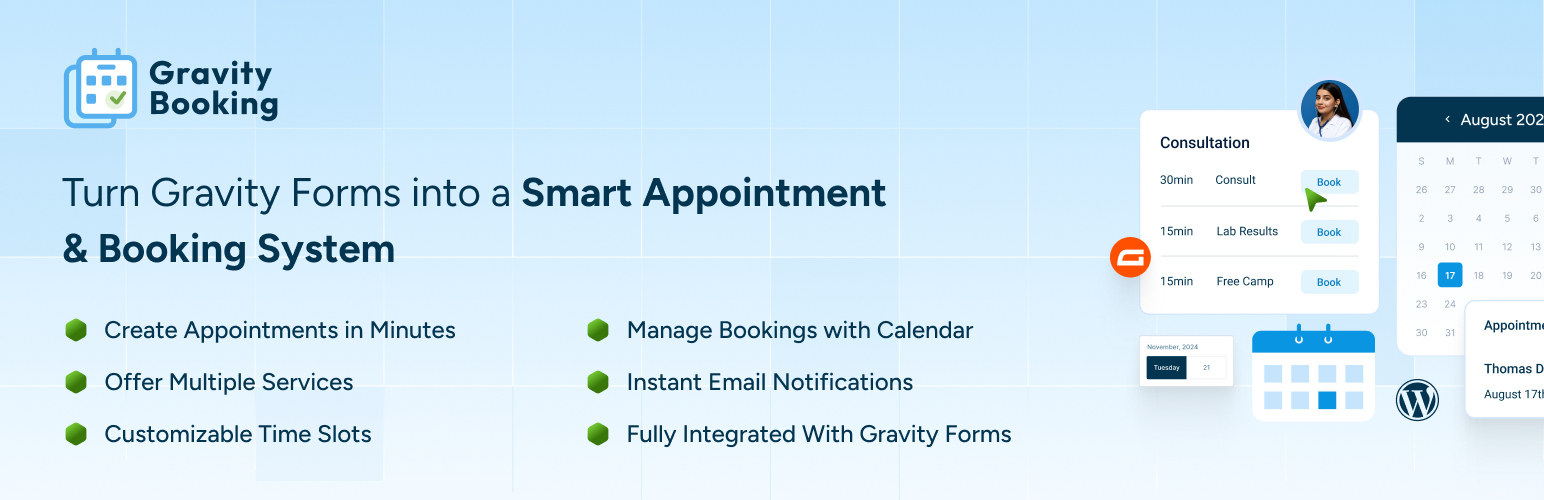
前言介紹
- 這款 WordPress 外掛「Gravity Booking – Appointment Booking & Scheduling Addon for Gravity Forms」是 2025-12-02 上架。
- 目前尚無安裝啟用數,是個很新的外掛。如有要安裝使用,建議多測試確保功能沒問題!
- 上一次更新是 2025-12-29,距離現在已有 59 天。
- 外掛最低要求 WordPress 6.7 以上版本才可以安裝。
- 外掛要求網站主機運作至少需要 PHP 版本 7.2 以上。
- 尚未有人給過這款外掛評分。
- 還沒有人在論壇上發問,可能目前使用數不多,還沒有什麼大問題。
外掛協作開發者
saadiqbal | wpexpertsio |
外掛標籤
booking | scheduling | appointments | booking system | appointment booking |
內容簡介
<html>
<body>
<h3>Gravity Booking 外掛介紹:</h3>
<p>Gravity Booking 將您的 Gravity Forms 轉變為一個功能齊全的預約和排程系統。讓客戶能即時預約服務、員工或資源 - 接受線上付款、與日曆同步、管理可用性等,全都在 WordPress 內。</p>
<h4>關鍵功能:</h4>
<ul>
<li>可無限制地預約服務、地點、員工和時間段</li>
<li>使用原生 Gravity Fields 和條件邏輯建立預約表單</li>
<li>Google 日曆同步(單向或雙向)和 Outlook 365 整合</li>
<li>多地點 + 多員工管理</li>
<li>自訂排班 - 節假日、休息、時區</li>
<li>使用 Gravity Forms 網關(Stripe、Square、Mollie 等)接受線上付款</li>
<li>全天和定時預約、容量控制、逐步預約流程</li>
<li>將預約導出為 PDF/CSV</li>
<li>提供給客戶的添加到日曆選項(ICS)</li>
<li>RTL 支援 + 行動響應表單</li>
<li>在 WordPress 管理員界面內無縫運行</li>
</ul>
<h4>為何選擇 Gravity Booking:</h4>
<ul>
<li>客戶可全天候預約,無需手動安排</li>
<li>通過電子郵件通知和日曆事件減少未出現情況</li>
<li>通過與 Google/Outlook 同步防止重複預定</li>
<li>設計具有擴展性 - 可提供多種服務、員工和地點</li>
<li>完全可定製通過 Gravity Forms(無固定預訂模板)</li>
</ul>
<h4>專業版功能:</h4>
<ul>
<li>多個員工</li>
<li>地點</li>
<li>Google 日曆</li>
<li>Outlook 日曆</li>
</ul>
<h4>需求:</h4>
<ul>
<li>WordPress 5.0+</li>
<li>已安裝並啟用 Gravity Forms</li>
<li>建議處理付款時安裝 SSL 憑證</li>
</ul>
</body>
</html>
</html>
原文外掛簡介
🚀 Gravity Booking Pro | 📝 Documentation | 📞 Support | 🧩 Features
Gravity Booking – Appointment Booking & Scheduling Addon for Gravity Forms
Gravity Booking is a Gravity Forms-powered appointment & scheduling plugin. It turns Gravity Forms into a complete appointment scheduling system. It lets customers pick services, staff, locations, dates, and time slots directly from your forms. Setup is quick, booking is smooth, and updates instantly, without manual admin work.
This appointment scheduling plugin is built for service businesses that want automation but prefer the flexibility of Gravity Forms.
Start with essential scheduling features for free, then unlock advanced calendar sync, staff/location management, and export tools with Gravity Booking Pro.
Fast, Flexible Appointment Booking & Scheduling Inside Gravity Forms
With Gravity Forms Booking, you can create a booking form in minutes. Define services, set working hours, configure holidays, and your booking calendar is ready to publish.
Customers only see available time slots. Every booking is logged and manageable from your WordPress dashboard.
The calendar scheduling plugin keeps your existing Gravity Forms workflow. Use conditional logic, payment add-ons, notification settings, and your existing forms without rebuilding anything.
Key Features of Gravity Forms Booking
Appointment Scheduling & Availability
Create booking rules for any service
Set working hours, breaks, and holidays
Control seat availability and prevent double bookings
Add buffer time before and after appointments
Gravity Forms Native Integration
Use Gravity Forms fields, conditional logic, and validations
Add booking calendars to any form
Works with existing GF payment gateways (Stripe, PayPal, Square, Mollie, etc.)
Customer-Friendly Booking Flow
Mobile-responsive booking widget
Real-time slot availability
Automatic confirmation emails via Gravity Forms notifications
Administration
View and manage appointments inside WordPress
Edit availability and service settings from a single dashboard
This calendar booking plugin gives you the essential scheduling workflow, then lets Pro handle the advanced operations when your business grows.
Gravity Booking Pro Features
Gravity Booking Pro offers full scheduling control, multi-staff operations, and calendar synchronization. Schedule appointments seamlessly with no hassle!
Staff & Location Management
Multiple staff with individual working hours and calendars
Multiple locations to support multi-branch businesses
Special days management for custom working hours on specific dates
Holidays & days off management to automatically block non-working periods
Advanced Scheduling
Multiple slot booking for customers who need more than one slot at once
Custom labels for location, service, and staff for full form personalization
Calendar color customization to color-code services or staff
Calendar Integrations
Google Calendar integration for real-time sync and conflict avoidance
Outlook Calendar integration for teams using Microsoft 365
Data Tools & Exports
Export customers data
Export appointments data
Export services data
Perfect for reporting, backups, or moving data into analytics tools.
Admin Productivity
Book appointment from backend so admins can schedule manually without using the front-end form
These features unlock the full business use case: teams, branches, advanced schedules, analytics, and calendar automation.
Who Should Use Gravity Booking Pro
Every service-based business with Gravity Forms installed can use Gravity Forms Booking. This scheduling booking plugin is designed for businesses that rely on predictable client scheduling:
Health & wellness clinics, therapists, physiotherapists, nutritionists, wellness centers
Salons, spas, barbershops, tattoo studios, makeup artists
Coaches, tutors, language teachers, fitness trainers, academies
Agencies, legal advisors, accountants, mentors, real estate professionals
Electricians, mechanics, plumbers, and cleaning services
Photography studios, meeting rooms, equipment rentals
If your business requires structured time booking, Gravity Booking fits.
Why Users Choose Gravity Booking
Uses the Gravity Forms ecosystem you already rely on
Lets you automate scheduling without changing your form builder
Offers clear, no-nonsense availability control
Scales from single-professional setups to multi-staff organizations
Pro unlocks calendar sync, detailed exports, and multi-location support when you need it
Gravity Booking Integrations
Gravity Booking works natively with Gravity Forms and inherits Gravity Forms product add-ons:
Stripe, PayPal, Square, Mollie
Twilio (via Gravity Forms)
GravityView, GravityFlow, and other GF extensions
Email notifications
Conditional logic workflows
Webhooks and CRM integrations (via GF add-ons)
Gravity Booking Pro adds:
Google Calendar
Outlook Calendar
How to Get Started
Install Gravity Booking and activate it
Create or edit a Gravity Form
Add the booking field and configure services, slots, and availability
Publish the form using a block or shortcode
Manage appointments from the Booking dashboard
Requirements
WordPress 5.0 or higher
Gravity Forms installed and active
PHP 7.2 or higher
SSL certificate recommended for payment processing
各版本下載點
- 方法一:點下方版本號的連結下載 ZIP 檔案後,登入網站後台左側選單「外掛」的「安裝外掛」,然後選擇上方的「上傳外掛」,把下載回去的 ZIP 外掛打包檔案上傳上去安裝與啟用。
- 方法二:透過「安裝外掛」的畫面右方搜尋功能,搜尋外掛名稱「Gravity Booking – Appointment Booking & Scheduling Addon for Gravity Forms」來進行安裝。
(建議使用方法二,確保安裝的版本符合當前運作的 WordPress 環境。
延伸相關外掛(你可能也想知道)
 LatePoint – Calendar Booking Plugin for Appointments and Events 》總結:LatePoint 是一個功能強大且用戶友好的 WordPress 預約管理外掛,簡化了任何規模企業的預訂管理。它提供多種功能,包括直觀的管理面板、適應移動裝置的...。
 Booking for Appointments and Events Calendar – Amelia 》2>Amelia Lite WordPress預訂外掛是一個免費的成熟預訂系統,用於順利管理在線預約和活動預定流程,使技術準確和易於導航。這個實用的預訂系統將消除重複性任...。
 Appointment Booking Calendar — Simply Schedule Appointments Booking Plugin 》Simply Schedule Appointments 是一個易於使用的 WordPress 預約預訂外掛程式。這個預約預訂系統已深受 20,000 多家企業的喜愛,平均評價達到五顆星。, Simpl...。
 SimplyBook.me – Booking and reservations calendar 》**總結:**, 這個外掛將解決您網站上的線上預約問題。如果您需要客戶在線預訂,SimplyBook.me 將為您提供一個完美的解決方案,以實現預訂的高效管理。SimplyB...。
 Appointment Booking Calendar Plugin and Scheduling Plugin – BookingPress 》BookingPress – WordPress 全方位預約外掛程式, BookingPress 是一款全面的預約外掛程式,可以輕鬆地在你的 WordPress 網站上設置完整的預約系統,根據...。
 EMC – Easily Embed Calendly Scheduling Features 》Embed Calendly 可以讓你以簡單易用的方式在 WordPress 網站上新增 Calendly 排程頁面。, 透過 Calendly,讓訪客可以在你網站的任何地方輕鬆地安排會議。, 透...。
 Publish to Schedule 》尋找簡化 WordPress 文章排程流程的方法?不妨考慮使用 Publish to Schedule!, Publish to Schedule 是一個強大且靈活的 WordPress 排程外掛程式,可讓您自...。
 Setmore Appointments 》Setmore 提供免費的線上預約平台,讓您與客戶連結。透過一個簡單、流暢的日曆系統管理您所有的預約,讓您的企業自由成長。, 增加更多客戶,並改善您的品牌形...。
 Bookings for WooCommerce – Create Booking Calendar, Start Scheduling, Manage Bookings And Appointments 》使用WooCommerce預訂和預約外掛,為您的客戶預訂,開始安排預約。通過使用列表日曆管理您的預訂並輕鬆調節預訂持續時間,以更好地管理您的預訂。, WooCommerc...。
 Easy Appointment Booking & Scheduling System – Webba Booking Calendar 》ly added to any page or post., Increased Bookings: A streamlined booking process and easy appointment scheduling can lead to an increased number of...。
 Salon Booking System – Free Version 》Salon Booking System 是一個完整且易於使用的預約管理系統。它可以協助您的業務在網站上獲得更多預訂,並節省您大量的時間進行日程管理任務。此外,Salon Bo...。
 Hydra Booking — Appointment Scheduling & Booking Calendar 》總結:Hydra Booking旨在使預訂變得簡單、高效,並可以根據每家企業的獨特需求進行完全自定義。這個外掛充滿了功能,可滿足小企業和大型服務導向團隊的需求,...。
 Advanced Appointment Booking & Scheduling 》```html, <ul>, <li>Advanced Appointment Booking & Scheduling 是一個強大的 WordPress 外掛,旨在簡化您的線上預約管理。</li&g...。
 Timetics – Appointment Booking Calendar & Scheduling System 》ime Management, The plugin has a user-friendly date and time management system that allows you to set specific start and end times for your meeting...。
 Content Update Scheduler 》WordPress缺乏一個計劃內容更新的功能。手動維護您的文章和頁面可以耗費您寶貴的時間,特別是當您已經知道您很快就必須再次更新同一頁面時。, 使用案例, , 促...。